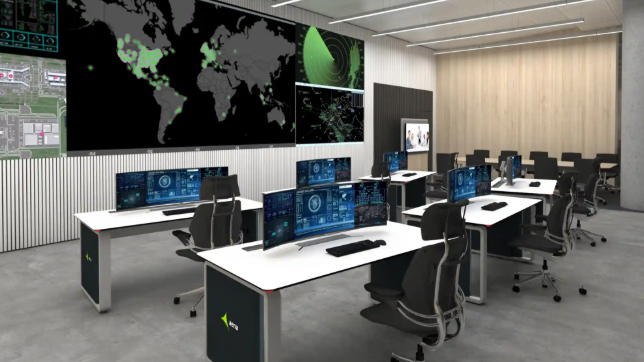

Security monitoring has become increasingly complex as businesses and communities rely on cameras, alarms, sensors, access-control systems, and other technologies to protect people and property. Monitoring teams may need to process large numbers of alerts while maintaining accurate records and responding quickly to genuine security events.
Automated workflows can help simplify these responsibilities. By handling repetitive processes, organizing information, and directing alerts according to predefined rules, automation can improve efficiency while allowing security professionals to concentrate on situations that require human judgment.
Understanding Automation in Security Monitoring
Security monitoring automation involves using software to perform routine tasks according to predefined conditions.
For example, when an alarm is triggered, an automated workflow may receive the signal, identify the relevant location, categorize the event, notify an appropriate operator, and record the activity.
Instead of requiring staff to complete every step manually, automation can coordinate these actions within a single workflow.
This can reduce repetitive administrative work and create more consistent processes.
See also: Current Realities of College Applications and the Future of Admission Process
Managing Large Numbers of Alerts
Modern security systems can generate substantial amounts of information.
A monitoring center may receive signals from intrusion alarms, fire systems, cameras, access-control devices, environmental sensors, and other equipment.
Processing every alert manually can become challenging, especially when several events occur simultaneously.
Automation can help organize alerts based on factors such as severity, location, type, or time. This allows operators to prioritize events that require immediate attention.
Reducing Repetitive Tasks
Many security operations involve predictable activities.
Operators may repeatedly verify account information, document events, send notifications, or follow standard response procedures.
Automated workflows can perform appropriate routine actions without requiring staff to repeat every step.
This allows security personnel to spend more time investigating unusual situations and making decisions that cannot be handled effectively by simple rules.
Improving Response Consistency
Human operators may respond differently depending on workload, experience, or the circumstances surrounding an event.
Automated workflows can help establish standardized procedures.
For example, a particular alarm type can trigger a predefined sequence of actions. This ensures that important steps are less likely to be overlooked.
Consistency is especially valuable in security operations because small procedural errors can have significant consequences.
Supporting Centralized Monitoring
Organizations managing multiple properties often face additional challenges.
A company may have offices, warehouses, retail locations, or other facilities spread across different areas. Monitoring these locations independently can make it difficult to maintain consistent procedures.
Centralized automation can help bring information into a unified workflow.
Security teams can establish common procedures while still allowing individual locations to have specialized rules based on their needs.
Using Central Station Automation Software
Monitoring centers need technology capable of managing large volumes of alarm information while keeping operators informed.
Central station automation software can help coordinate alarm signals, account information, event handling, operator workflows, and reporting within a centralized environment.
By reducing manual processes and organizing critical information, automation technology can support monitoring teams as they manage complex security operations.
Improving Alarm Verification
Not every alarm requires the same response.
An automated system can use predefined information to help determine what type of event has occurred and what steps should follow.
For instance, an alarm from a restricted area may require a different workflow than a routine system notification.
Automation can help operators quickly access relevant account details and follow the appropriate procedures.
Faster Access to Important Information
During a security event, operators may need immediate access to information about a property, contact person, alarm type, or previous activity.
Automated systems can organize this information so that it is available within the monitoring workflow.
Reducing the time spent searching for records can help operators concentrate on the event itself.
Improving Documentation
Accurate documentation is an important part of security operations.
Every alert may require information about what happened, when it occurred, how it was handled, and what actions were taken.
Automation can create time-stamped records and help standardize event documentation.
This makes it easier for managers to review incidents, identify patterns, and maintain organized records.
Supporting Better Communication
Security events often involve multiple people.
Depending on the situation, an operator may need to communicate with property managers, employees, security personnel, emergency contacts, or other authorized parties.
Automated workflows can help initiate appropriate notifications according to predefined rules.
For example, a specific type of alert could trigger a notification to an assigned contact while simultaneously creating an event record for the monitoring team.
Reducing Operator Workload
Monitoring personnel need to remain attentive, particularly when dealing with large numbers of alerts.
Excessive repetitive tasks can contribute to fatigue and reduce the amount of attention available for complex situations.
Automation can handle appropriate routine activities and allow operators to focus on higher-value responsibilities.
This does not mean removing humans from the security process. Instead, it allows technology and trained professionals to perform the tasks each handles most effectively.
Integrating Multiple Security Technologies
Modern properties often use several security technologies simultaneously.
Cameras, intrusion detection systems, access controls, environmental sensors, and communication tools may all generate information.
Automation can help integrate these systems into a more coordinated workflow where compatible technologies allow it.
Centralized information can give operators a more complete picture of what is happening rather than forcing them to manage disconnected systems.
Improving Scalability
As a security operation grows, manual processes can become increasingly difficult to manage.
Automation allows organizations to standardize workflows that can be applied across a larger number of accounts and devices.
This scalability can be valuable for monitoring centers that continue adding customers or expanding their service areas.
Rather than increasing manual workload at the same rate as growth, automation can help absorb additional activity more efficiently.
Learning From Historical Data
Security monitoring systems generate valuable operational data. Organizations can review historical information to identify trends such as frequently triggered alarms, recurring equipment problems, response times, and high-activity locations.
Using an ELT data processing service can support the preparation and organization of this information for reporting and analysis. These insights can help security managers improve workflows and identify areas where additional training, maintenance, or system adjustments may be needed.
The Importance of Human Oversight
Automation should support security professionals rather than replace human judgment.
Not every security event can be understood through predefined rules. Unusual situations may require investigation, context, communication, and careful decision-making.
Operators should remain responsible for reviewing significant events and taking appropriate action.
The best approach combines automated efficiency with experienced human oversight.
Keeping Automated Workflows Updated
Security procedures can change over time.
Businesses may update emergency contacts, modify access policies, add new facilities, or introduce new security technologies.
Automated workflows should therefore be reviewed regularly to ensure that they continue to reflect current procedures.
Outdated automation can be just as problematic as outdated manual processes.
Security and Data Protection
Automation systems often handle sensitive information, including property details, contact information, alarm records, and operational data.
Organizations should implement appropriate security controls to protect this information.
Access should be limited to authorized users, systems should be maintained properly, and organizations should follow applicable privacy and security requirements.
Conclusion
Automated workflows can significantly improve the efficiency of modern security monitoring operations. By organizing alerts, reducing repetitive tasks, standardizing responses, improving documentation, and helping operators access information quickly, automation can make complex monitoring environments easier to manage.
However, automation works best when it complements trained professionals rather than attempting to replace them. Human judgment remains essential for unusual and high-priority situations.
As security systems continue to become more connected and data-driven, combining reliable automation with thoughtful procedures and professional oversight can help monitoring teams respond more consistently, manage growing workloads, and provide stronger protection for the businesses and communities they serve.